 Warble
History
Find, copy and replay anything you have dictated.
Open Warble from the menu bar and choose History. Dictations are grouped by day, newest first, with the app they went into, word count and length.
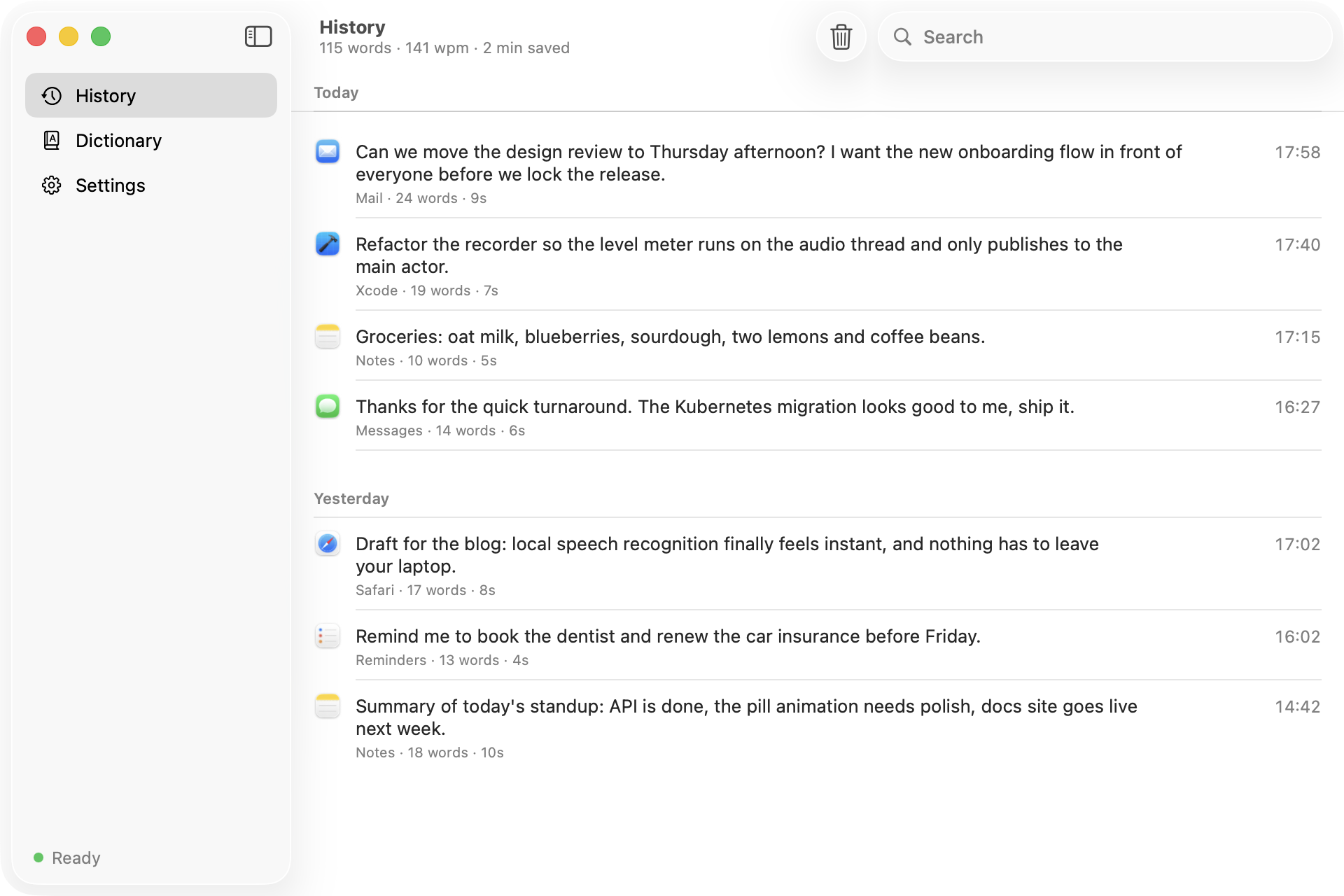
- Search with the field in the toolbar; it matches the text and the app name.
- Hover a row to copy it, or play its audio if you keep recordings.
- Right-click for Copy, Play, Transcribe Again and Delete.
- Clear History in the toolbar deletes every entry after asking.
Your latest dictation is also in the menu bar panel, with a button to copy it. The subtitle above the list shows your total words, speaking pace and the minutes saved compared to typing.
Keeping audio
By default audio is deleted right after transcription. To replay or re-transcribe later, set Settings → Privacy → Keep audio recordings to the last 10, 25, 50 or 100. Older files are removed as new ones arrive.
Where it is stored
History is a JSON file at ~/Library/Application Support/Warble/history.json, capped at the latest 5,000 dictations. Audio lives in ~/.config/warble/recordings.