 Warble
Dictionary
Teach Warble your names, jargon and text shortcuts.
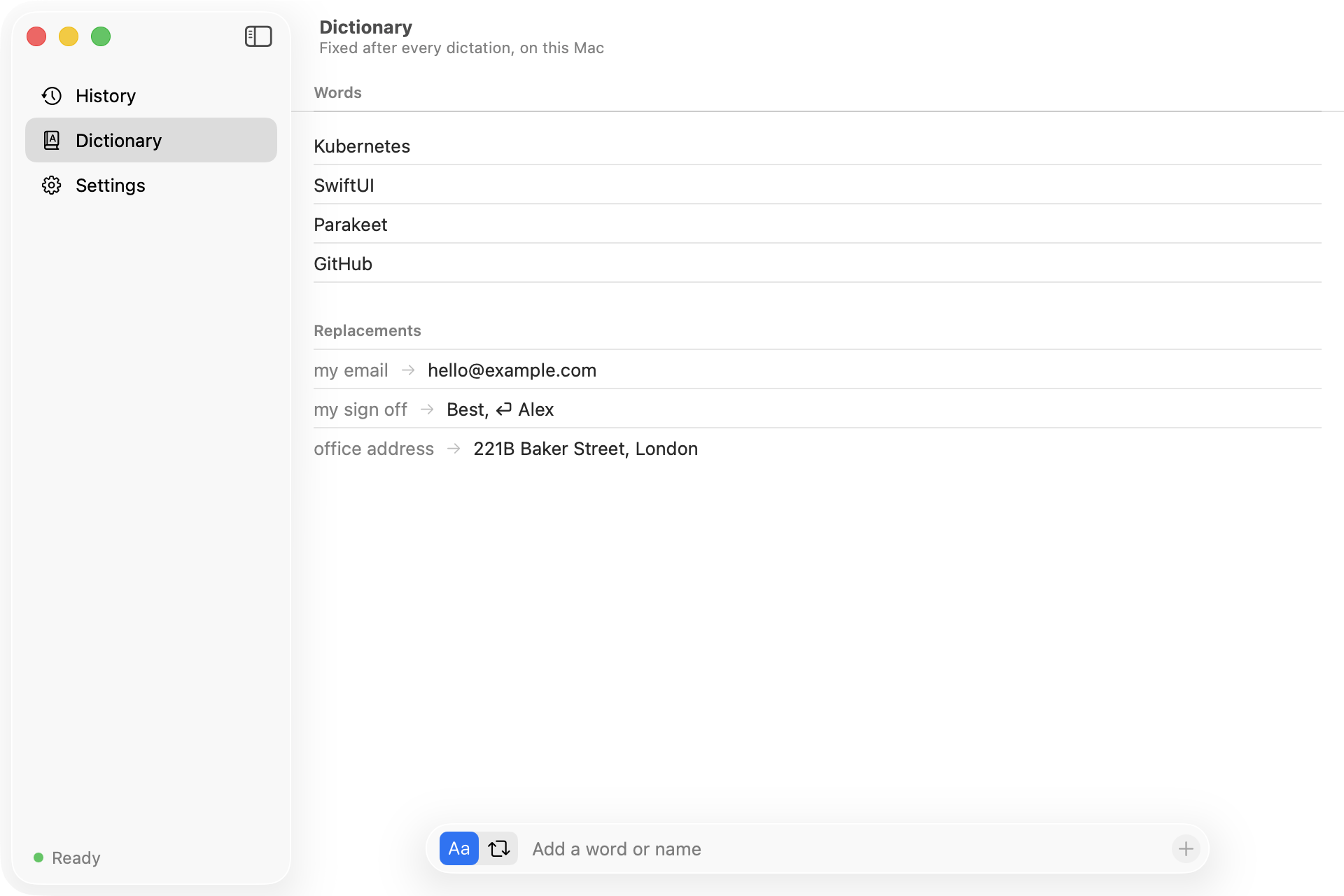
The dictionary rewrites every transcription before it is typed. It has two kinds of entries. Add them with the bar at the bottom of the Dictionary pane: pick a word or a replacement, type, and press Return. Hover an entry to remove it, or right-click it.
Words
Add a word with the spelling you want, such as Kubernetes, SwiftUI or GitHub. Whenever Parakeet produces it in any capitalization, Warble types your version.
Replacements
Map a short spoken phrase to longer text:
| When I say | Warble types |
|---|---|
| my email | hello@example.com |
| office address | 221B Baker Street, London |
| my sign off | Best, + new line + Alex |
How matching works
- Case-insensitive and whole-word only:
ainever matches insiderain. - Word boundaries understand accented letters, so Polish and other languages work.
- Longer phrases win, so
work emailis applied beforeemail. - Replacement text is typed literally, including
$and backslashes.
The dictionary corrects text after transcription. It does not yet bias Parakeet toward your words while it listens; FluidAudio supports that with an extra CTC model, which is on the roadmap.
The dictionary is stored in ~/Library/Application Support/Warble/dictionary.json.