 Warble
Introduction
Warble is free, open source voice dictation for macOS that runs entirely on your Mac.
Hold a key, speak, let go. Warble records while the key is down, transcribes with NVIDIA Parakeet TDT v3 on your Mac, and types the result wherever your cursor is.
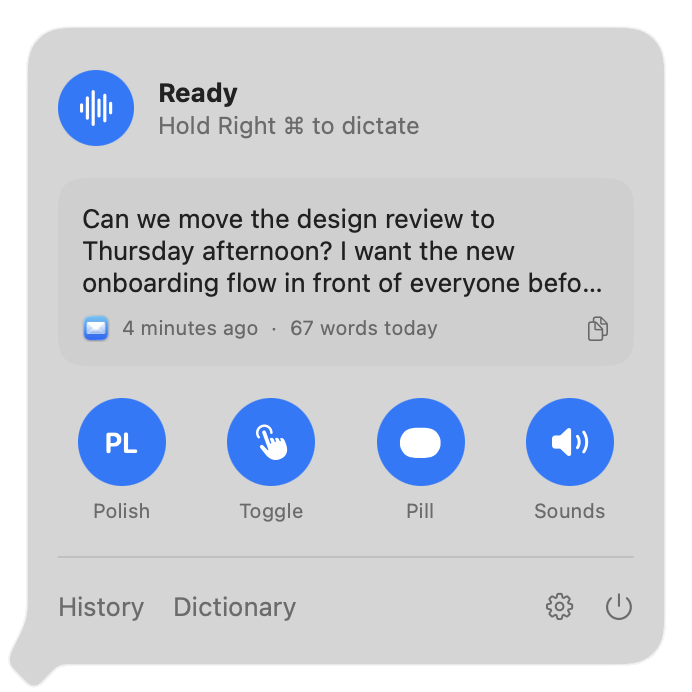
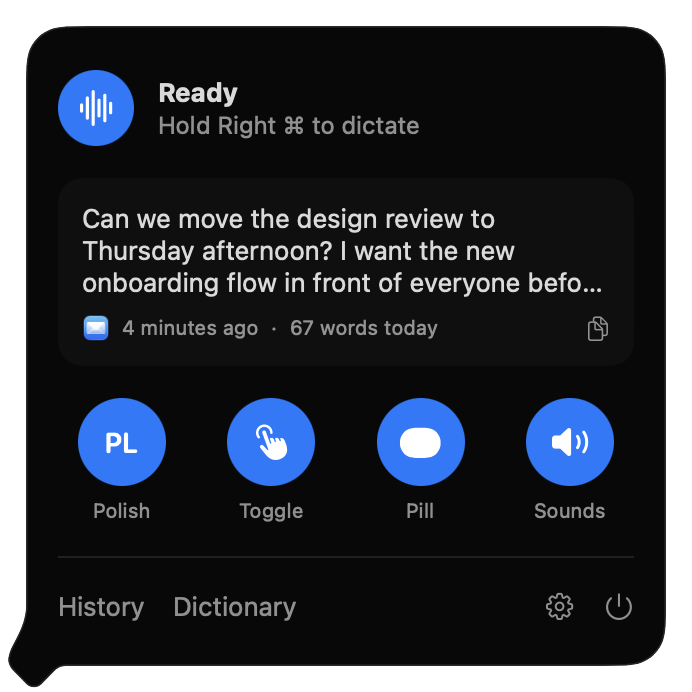
Warble lives in the menu bar. Click its icon for a small panel with:
- Status and the key to hold, so you know Warble is ready.
- Your last dictation, with a button to copy it again.
- Quick toggles for the language, Hold or Toggle mode, the recording pill and sounds.
- Links to History, Dictionary and Settings, which open in one window.
Right-click the icon for Settings and Quit.
Why Warble
Local
Speech never leaves your Mac. The model runs on the Neural Engine through FluidAudio.
Free
No account, subscription or word limit. MIT licensed.
Native
SwiftUI and Liquid Glass on macOS 26, living in the menu bar.
Everywhere
Any app with a text cursor: mail, chat, editors, terminals, forms.
What you get
- Hold-to-talk or toggle dictation on fn 🌐 or any key you choose.
- A recording pill with a live waveform, so you always know when Warble is listening.
- History of every dictation, searchable, with the app it went into and optional audio.
- A dictionary for names, jargon and text shortcuts.
- Onboarding that handles permissions and the model download for you.