 Free · Open source · Runs on your Mac
Your voice, typed.
Hold a key, speak, let go. Warble turns speech into text in any Mac app with NVIDIA Parakeet, without the cloud, the account or the subscription.
How it works
Three moves, no clicks
Hold fn
Or any key you pick. Warble listens only while it is held.
Speak
A glass pill shows your voice, so you know it is working.
Let go
Parakeet transcribes on your Mac and the text lands at the cursor.
Features
Everything a dictation app should do, and nothing it shouldn’t
Parakeet v3, on-device
NVIDIA’s TDT model runs on Apple’s Neural Engine through FluidAudio. Downloaded once, then fully offline.
Works in every app
Mail, Slack, Xcode, the browser, a terminal. If it has a text cursor, Warble can type into it.
Made for macOS 26
Native SwiftUI with Liquid Glass. A menu bar app first, with a proper window when you want one.
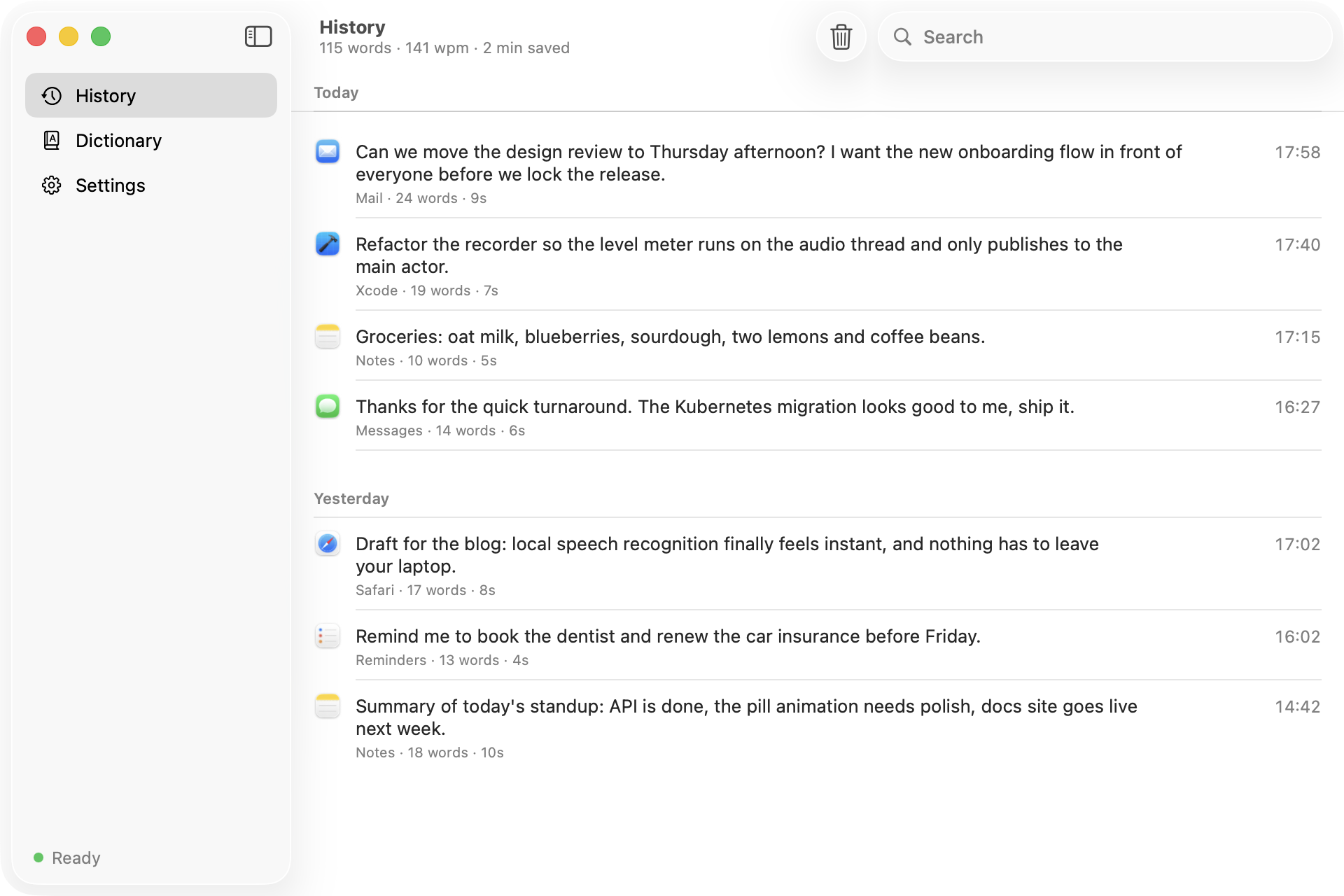
Searchable history
Every dictation is kept on your Mac with the app it went into. Copy it, replay the audio, or delete it.
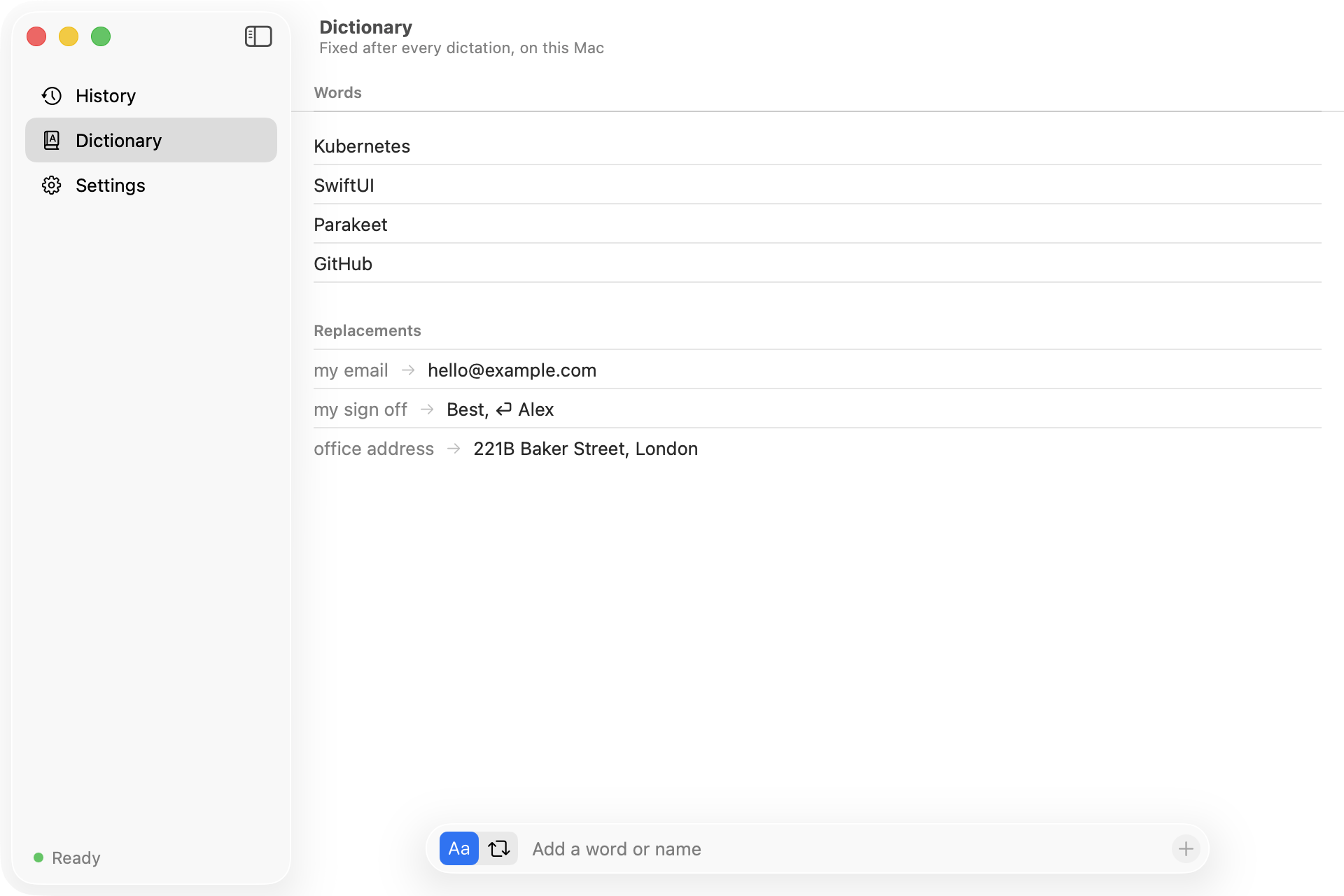
Your own dictionary
Fix names and jargon, or turn “my email” into your address. Rules run locally after every dictation.
Free, for real
No account, no subscription, no word limit. MIT licensed, so you can read and change every line.
A look inside
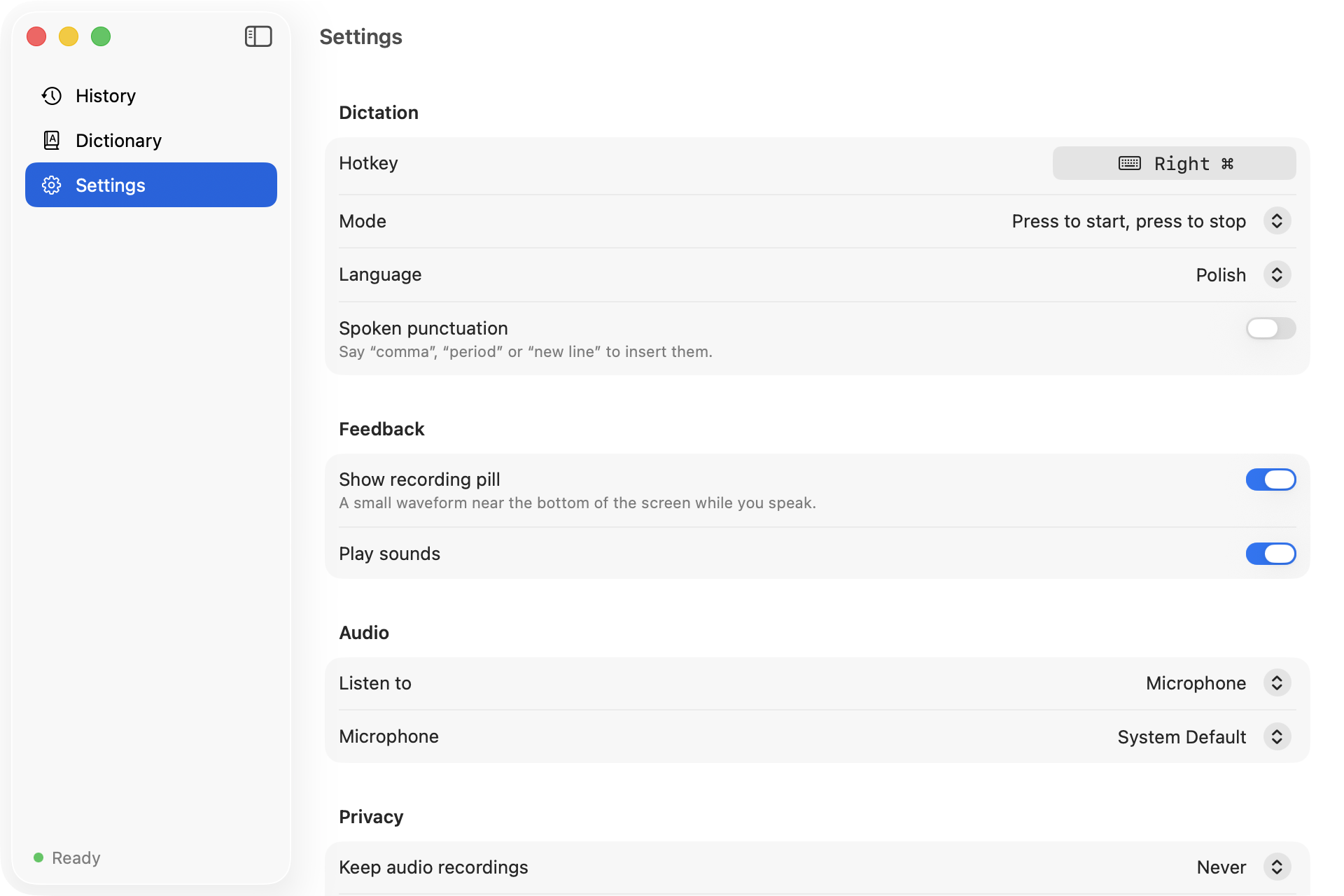
History, dictionary and settings in one window
Privacy
What leaves your Mac? Nothing.
- Audio is recorded only while the key is held and transcribed in memory.
- Text, history and your dictionary are plain JSON files in Application Support.
- The only network request is the one-time model download from Hugging Face.
- No analytics, no crash reporting, no account. Check the source to be sure.
| Warble | Typical cloud dictation | |
|---|---|---|
| Price | Free forever | Monthly subscription |
| Where speech is processed | On your Mac | Remote servers |
| Account | None | Required |
| Works offline | Yes | No |
| Source code | Open, MIT | Closed |
Start talking to your Mac
Build it from source in one command. Setup walks you through permissions and the model download.